
- Candidates: If a candidate’s email address isn’t verified, the email goes to a catch-all inbox at KarmaCheck and isn’t delivered to you for testing. The exception is when your sandbox has a default email address. In that case, emails to unverified candidates are sent to the default address.
- Dashboard users: The user’s email address must be verified before you invite them to your sandbox company. Invitations to dashboard users are never sent to the default address.
Verify an email address
-
In the staging dashboard, open the profile menu and select Company Settings.
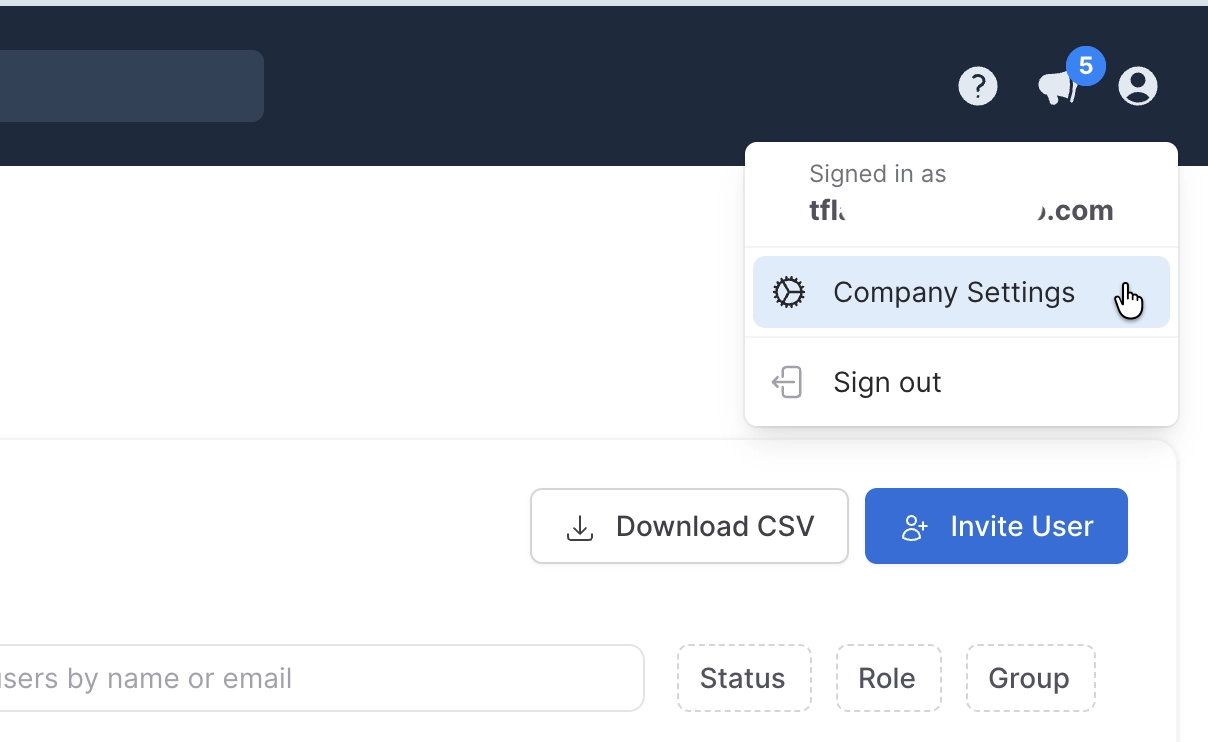
- Select Verified Emails, and then select Add Verified Email.
- Enter an email address that you control.
- KarmaCheck sends a one-time verification link to that inbox. Select the link to verify the address.
Address matching rules
- Case-insensitive: Capitalization doesn’t create a different verified address.
- Plus aliases supported: If the recipient’s email provider supports plus aliases, also known as plus addressing, verifying
qa@company.comalso permits addresses such asqa+candidate1@company.com.
Set a default email address
Set a default email address so that candidate emails sent to unverified addresses are delivered to you instead of the KarmaCheck internal staging inbox. To set the default, select Set Default next to a verified address. The default address is marked with a Default label.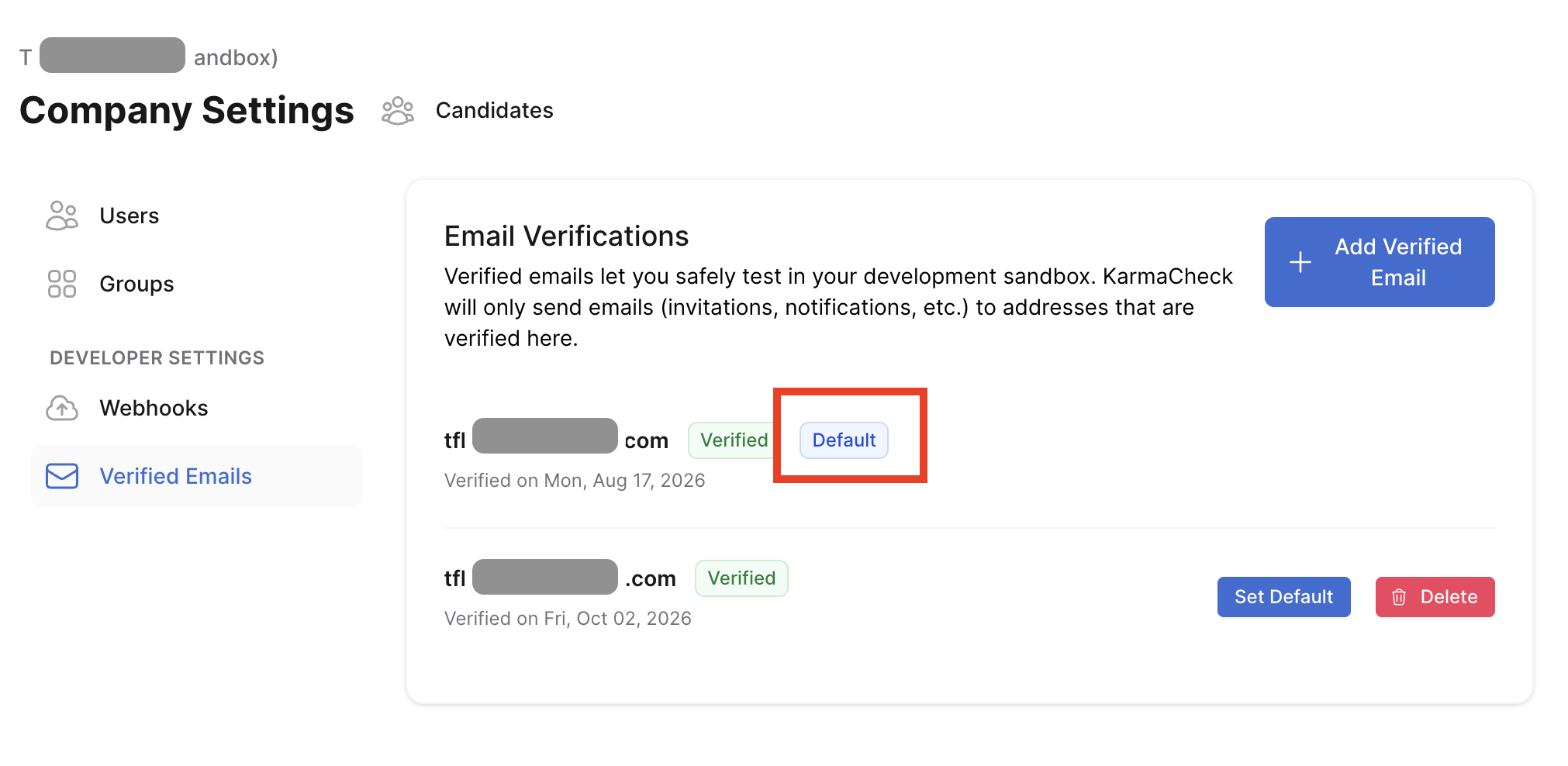
The default address applies only to candidate emails. Invitations to dashboard users are never redirected to the default address, so you must verify each user’s email address before you invite them.
What happens when staging sends an email
For candidate and background check invitations, the routing logic checks whether the intended recipient:- Is a user in the current sandbox account, or
- Matches a verified sandbox contact.